
theme:klassplace:userguide:section2
Table des matières

Klassplace: Course settings
Course display options
- Section styles: Choice between 5 styles that will affect the global rendering of the course:
- Boost
- Bold Notecard
- Clipboard
- Fancy section style
- Corporate style
- Boost: top border in the main theme colour - Minimal branding

- Bold Notecard: Main theme colour as a rectangular background - The most visible blocks to separate the sections of your course

- Clipboard: Main theme colour as a background with “clip” edges - Also very visible - Well suited to a young audience

- Corporate: Thin top and bottom border in the theme colour, grey background - Polished corporate-style presentation

Note that colours, fonts and positions can be changed to your wishes through scss overrides.
- Activity icon size: size in pixels of the activity and resource icons in courses - Default 32px
- Custom activity thumbnail width: Sets in pixels the size of the custom thumbnail of each activity or resource. (black and grey square icon next to activities or resources)

Course thumbnail display options
- Course tooltip title: If course title truncation is used, this function can be used and will display the full course title in a tooltip. Check this box to enable this option.
- Add the “New” signal:
- 0 removes the message, otherwise it is the number of hours it is kept
- The signal is global to the platform. It therefore concerns all courses and all activities/resources
- It displays “New”, or “Updated” if the activity already existed and was simply modified: the activity settings, not necessarily its data content (activity settings edit mode)
- Someone who has visited the added or modified resource no longer sees the signal.
- Show the signal on labels: If enabled, the “New” signal is also displayed on course labels and not only on activities/resources.
Example of custom thumbnail and signal

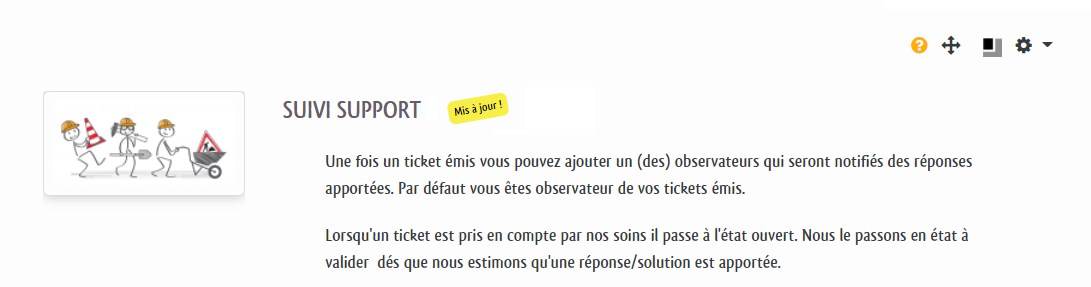
- Initial state of flexsection: All closed. This option is useful if you use the Flexsection (flexible sections) course format revised by us.
Credits
- Nicolas Maligue (nicolas@activeprolearn.com) Development and adaptations
- Valéry Frémaux (valery@activeprolearn.com) - Code development and optimisation
- Florence Labord (florence@activeprolearn.com): Documentation and functional qualification
User guide index - Theme index - Back to plugins index - Back to the catalogue index
theme/klassplace/userguide/section2.txt · Dernière modification : de 127.0.0.1