
theme:fordsonfel:userguide:section7
Table des matières

FordsonFEL: An advanced bootstrap theme
Footer
The footer renderer has been modified compared to the standard theme, in order to accept 3 areas (1/3, 1/3, 1/3) with
- a wysiwyg editor for free input of your choice
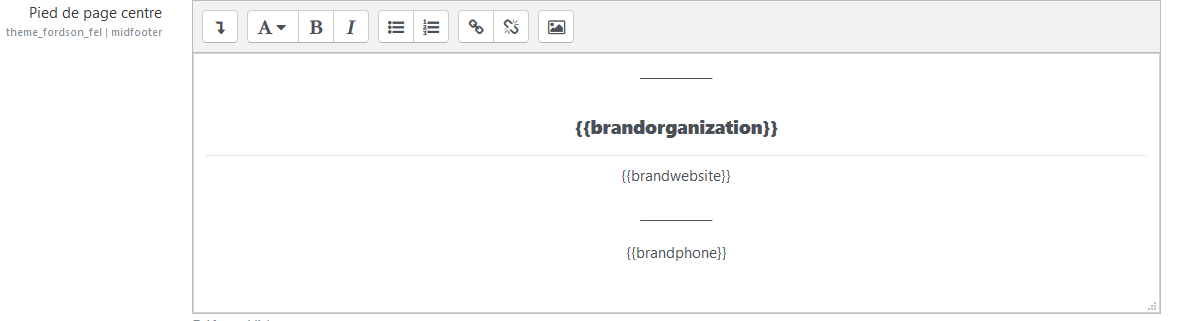
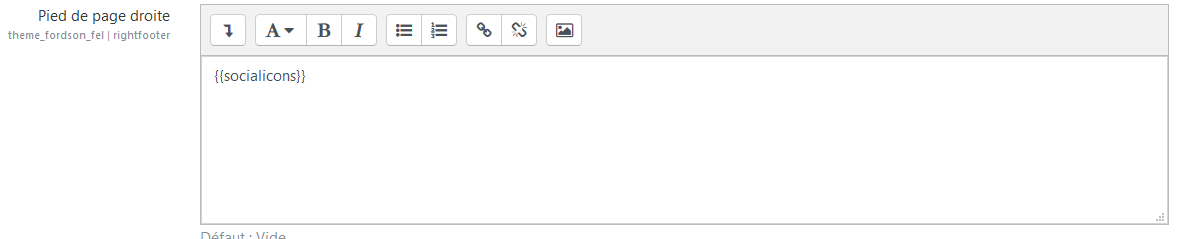
- the use of shortcodes to choose the area or make the standard information entered in the form appear.
There are 4 input areas in total
- Left area,
- Centre area: hidden on mobiles.
- Right area
- Footnote (across the full width of the footer)
Access to the form
Site admin/appearance/themes/FordsonFEL/Footer
Step 1
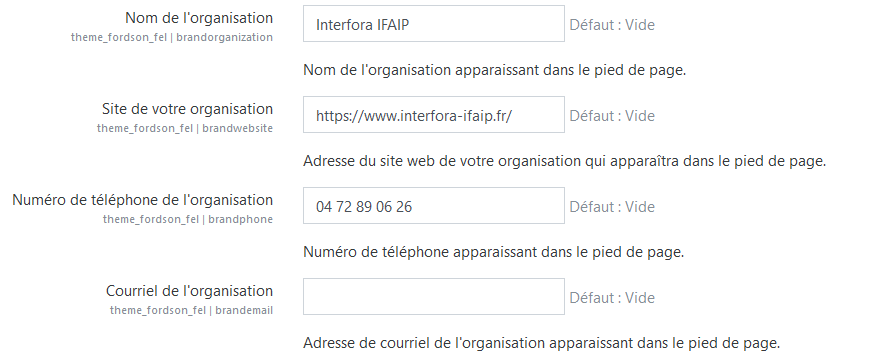
Enter in the form the information about your Moodle, and the social network addresses in the provided input areas - Only the areas filled in the form for social networks will appear. Example:
Step 2
Call the shortcodes, possibly formatted, in the area of your choice, left, centre or right - Examples
Examples of footer rendering


Credits
- Valéry Frémaux (valery@activeprolearn.com)- Development and tests
- Florence Labord (florence@activeprolearn.com): Documentation and functional tests
Back to the user guide - Theme index - Back to the plugins index - Back to the catalogue
theme/fordsonfel/userguide/section7.txt · Dernière modification : de 127.0.0.1