
Table des matières

Flash card game: User guide
Interaction model
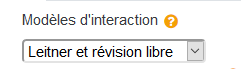
Sebastian Leitner is a German engineer who devised the "spaced repetition" method, helping with the memorisation of sets of definitions. Leitner's method is based on the observation that our memory favours so-called 'easy to remember' data, while other data resists memorisation. Leitner's method concentrates on the difficult areas of the space to learn, setting aside the items that are memorised easily and focusing revision on those that resist.
- Leitner and free review:
- Leitner training:
- Free training:
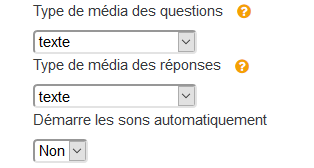
- Question media type and answer media type: This dropdown lets you select the type of media you want displayed in the questions and in the answers: text, image, sound, sound and image or video.
- Start sounds automatically: Yes/No - If you have added sound files to the questions and/or answers, and you select “yes”, the sounds will be triggered automatically. If you select “no”, the sounds must be activated by the user to be played.
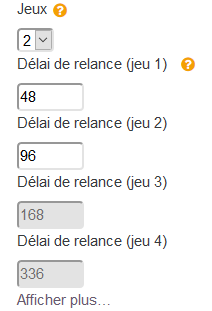
- Decks: Choose the number of decks you want displayed (from 2 to 4 decks). Decks here means piles of cards. The number of decks depends on the number of items to memorise. For very large data sets, it is preferable to go up to 4 decks (for example, pharmacology). From a few items to about twenty items, 2 decks can be enough.
- Reminder delay (for each of the 3 decks): Time expressed in hours. At the end of the time you set in this box, the pile of cards of the deck concerned will be due for review by the learner.
Additional "Show more" link
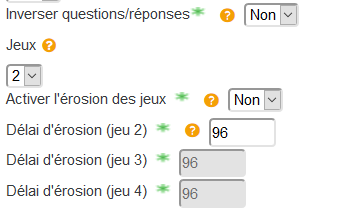
You can enable erosion delays. At the end of the delay you set in the associated fields, the cards are redirected to a more difficult pack of cards
- Deck erosion: The deck erosion system is a “punitive” constraint for participants who do not come to do their revision rigorously enough. When erosion is enabled, unreviewed cards “move back up” into more difficult packs, moving the participant away from the goal of having passed all their cards into the last pack.
- Question/answer inversion: This simple feature lets you replay the exercise the other way round, presenting the other side of the cards first. This further reinforces learning.
Notifications
- Remind reviews: If you select “yes” in the dropdown, the learner will receive a notification when the pack of cards is due for review, that is at the end of the time you have set. Otherwise, no notification will be sent.
Card customisation files
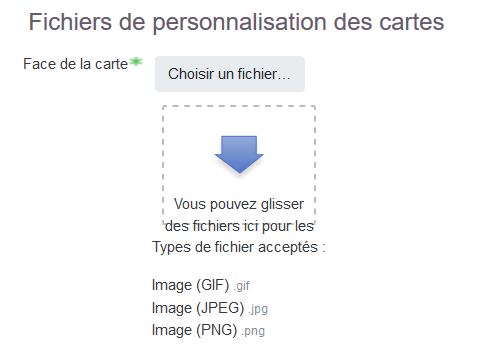
These additional parameters let you add a background image to the front or back of the card, to the “reviewed” or “to review” deck, and to the empty card deck.
Various examples:
| Front | Back | To review | Reviewed | Empty |
|---|---|---|---|---|
 |  |  |  |  |
General settings
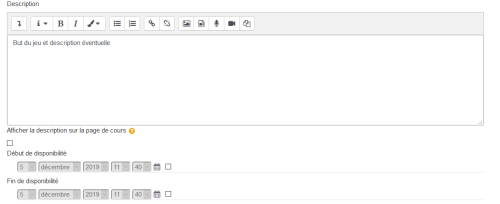
These are the standard settings of any Moodle activity or resource:
- Add the name you want to give the activity.
- In the description, add the goal of the game, the game instructions, etc. Everything necessary for the game to run. And tick the visibility box of the description so it is visible in the course.
- The start date and due date of the activity can be enabled. Choose a start and/or end date for the activity. Otherwise the time will be limited to the course end date if there is one
 .
See also
Credits
- Gustav Delius
- Tomasz Muraz
- Valéry Frémaux (valery@activeprolearn.com): Development
- Florence Labord (florence@activeprolearn.com): Documentation
Back to the Flashcard module index - Back to plugins index - Back to catalogue