
mod:customlabel:sessions
Table des matières

Course Element: Training Session
Introduction
The “Training session” course element makes it possible to manage the scheduled training session in its modality, duration and location.
Central settings of this course element
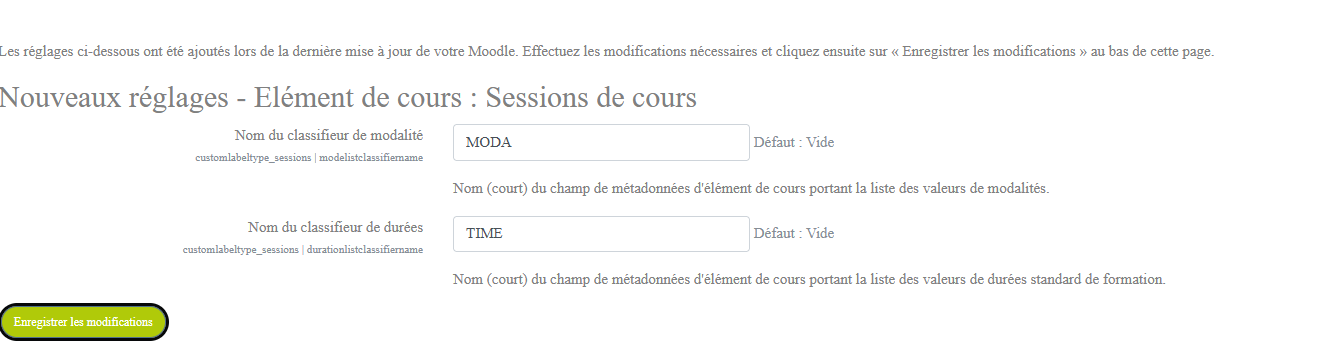
Based on the classifier fields determined in the catalogue component (See catalogue) at its installation. In the example below:
- a catalogue filter concerns the training duration (TIME)
- a catalogue filter concerns the training modalities (MODA)
Adding on a course
Visual rendering on a course, teacher view, when the course element is dropped

Form configuration
General
- Select “Training session” in the label type.
- The element name is displayed by default. (Each course element has its own name. It is not displayed on the course)
- Save and click on add a session
- Enter the requested data
Rendering on a course
IMAGE TO BE ADDED
Common settings
- This option lets you show or hide the resource, in other words make it visible or hidden to learners.
Restrict availability
- off topic
Activity completion
mod/customlabel/sessions.txt · Dernière modification : de 127.0.0.1