
Table des matières

MY Dashboard Page: Use Case 1
Introduction
The request:
- Be able to display a differentiated message on the users' my page (Dashboard), in the central area, based on the users' different functions.
The answer:
- Use a custom profile field (standard Moodle feature) displayed as a widget and called in the central settings of the local_my component in three steps.
 the widget used, static_profile_field, uses the static_guit_text plugin and a function call API.
1/ Creating the custom profile field
Path: Site administration/Users/Accounts/Profile fields
- The created profile field “function” is a closed list (drop-down list) that reuses the list of the site users' functions.
Note: This list of functions, although consistent with the roles on the platform, is not the list of those roles.
2/ Calling the custom profile field in the component
Path: Site administration/Plugins/Local plugins/Enhanced My Moodle
- The custom profile field is called for the teacher/student tab or both in the list of widgets to display, in the form static_profile_field_nameofthecreatedfield
Example: static_profile_field_function
Note: The (unique) short name of the field is the one used in the widget. In other words, if for example the custom field name is “public” in lowercase, it must be reused identically in the widget list: static_profile_field_public
3/ Managing custom messages
- On the MY page, the administrator enters the custom message via the cogwheel that matches the different values of the custom field list.
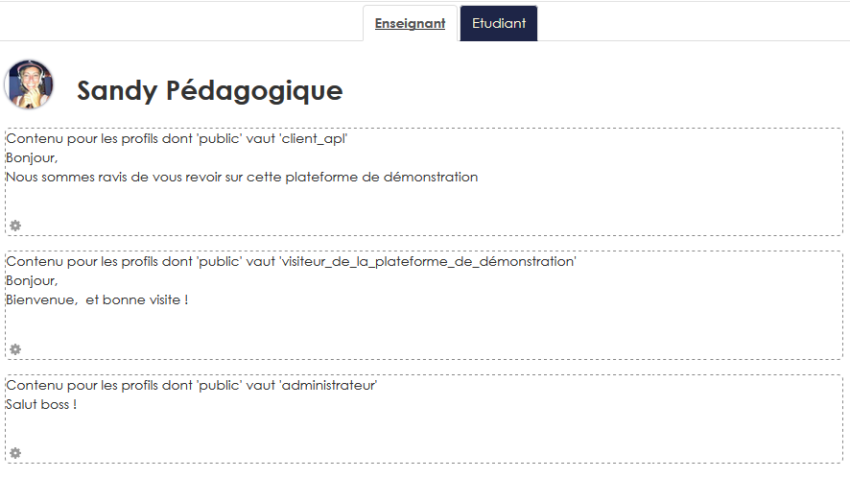
Rendering for the user
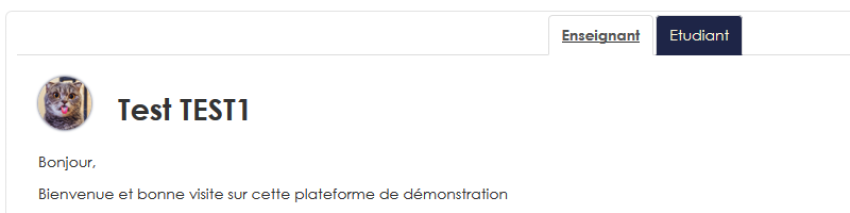
- Rendering for a user whose custom profile field “public” is “APL visitor”
See use case 2 - See use case 3 - See use case 4 - See use case 5 - See use case 6 -See use case 7- See use case 8 Back to the user guide - Back to the component index - Back to the plugin index