
Table des matières

PublishFlow Block
User Guide: Sharing Courses Across a Moodle Network
Introduction
This block is intended to let you share the course of your choice across the network in a few simple guided steps described below.
Use case
I am a teacher in an institution that belongs to a network, and I want to offer my course to a colleague located in another institution. My original course will not be modified and will remain accessible only to the teachers initially designated. I therefore share my course on the platform designated by the system. All teachers will be able to view it without being able to modify the copy of my course either. Those who wish to can “bring it back” to their institution to make good use of it on their own account.
From that moment I have “offered” my course and each teacher is free to modify or not the copy brought back to their Moodle. They can in turn offer it to everyone, amended, completed in substance or form. We are here at the heart of a virtual community of practices and projects.
Placing the block in your courses
- Switch to Edit mode using the button under your login name.
- Drop-down menu Add a “Sharing” block
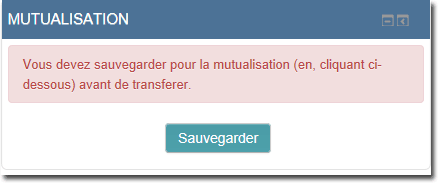
- Your course now has an identifier number, this procedure is automated.
- A backup must exist in order to distribute your course, click on “Backup”, you get a confirmation.
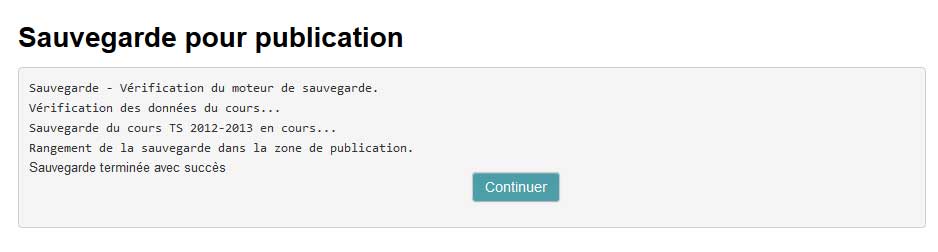
- Notes on backup management
If you have the capability, you will have in the block a link to manage this specific backup area: “Manage backups”. Note that the backup does not use Moodle's usual backup storage location and therefore will not appear in the “Course administration/restore” menu.
This is to ensure that the backup used by the process is free of any enrolled user other than the course author, who will remain enrolled as author on the copy of the shared course.
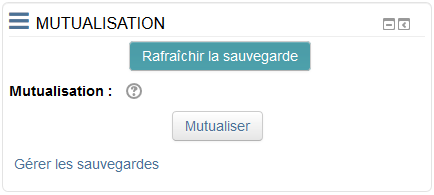
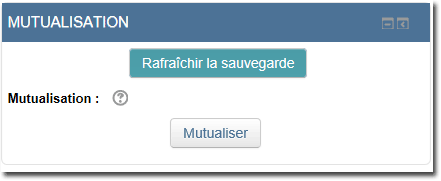
- You can now share your course by clicking on “Share”. Note that you can also refresh, that is, update the backup if it has already been made once.
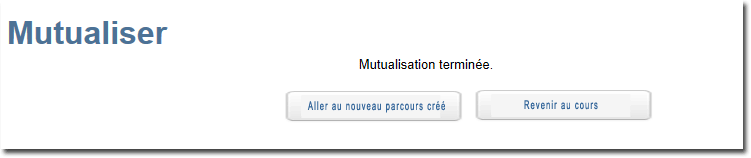
When the sharing operation is finished, a choice is displayed:
- Go to the newly created pathway: The course shared on the destination system.
- Return: Return to the original course on your system.
Sharing publishes the course on a sharing platform designated by the component's central configuration.
When you start the sharing, you create a new course unit on that platform containing the copy of the structure of this course, saved in the last backup made.
The course created on the sharing platform will be assigned to a category predefined on that platform (you cannot choose a priori). It will be up to you to reclassify this course into a more appropriate local category if you can. Otherwise a person authorised on that platform will do it for you.
It is also possible that the administrators have decided that courses are automatically placed in a category you own when you retrieve a shared course.
Example of the arrival location of a shared course, different from the originating system:

Credits
- Valéry Frémaux (valery@activeprolearn.com) - Design, development
- Florence Labord (florence@activeprolearn.com): Documentation, functional review - Illustrations
Back to the user guide summary - Back to the component summary - Back to the plugin index - Back to the catalog