
blocks:multicoursenavigation:userguide
Multi Course Navigation block: User guide
Block settings
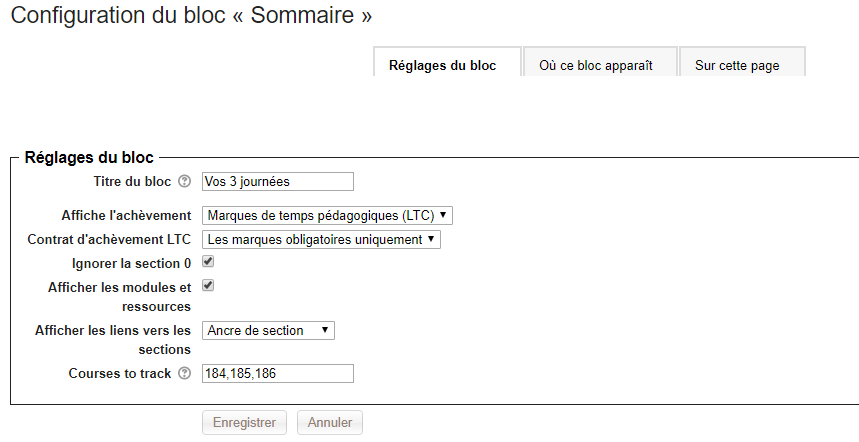
- Block title: Title of your choice
- Show completion: no completion, standard completion of activities and resources, LTC support
- LTC completion contract: All marks, mandatory marks only
- Ignore section 0: Yes or No
- Show modules and resources: Optional; if not displayed, the show/hide modules and resources icons will be hidden from the interface
^ ^
 ^
Show/hide modules and resources icons
- Show links to sections: Section anchors, single section view. In this case the section opens on another page, with a button to return to the whole course
- Course to track: Enter the list of (numeric) course identifiers you want to represent. If empty, only the current course will be represented.
Rendering in a course:
Fully collapsed view
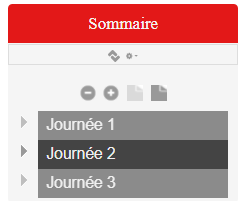
Partially expanded view
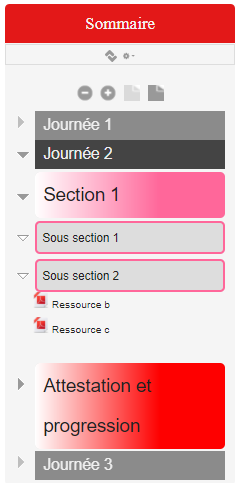
Fully expanded view (truncated image)
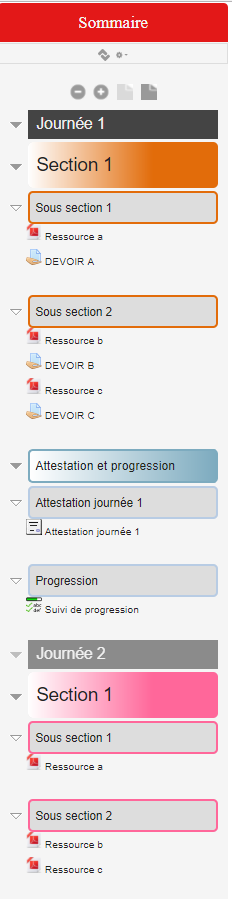
Credits
- Valéry Frémaux - Development and tests
- Florence Labord - Documentation and tests
Back to the block index - Back to plugins index - Back to catalogue
blocks/multicoursenavigation/userguide.txt · Dernière modification : de 127.0.0.1