Table des matières

Course Element: Collapsible Texts
Introduction
The “Collapsible text” course element allows content to be entered in two different areas: a main title area and a content area with a WYSIWYG editor that allows text entry as in an office-type text editor. the number of drawers can be changed and you can choose between two display types: accordion or toggle.
- the accordion unfolds one item while closing the others
- The toggle unfolds the chosen item - A + or - menu makes it possible to unfold or fold everything with one click.
Its interest lies in its ability to present a fluid interface with a visually very pleasant unfolding effect, and a display optimisation when the content is long, which avoids having to scroll the display window.
It is an ergonomic facilitation element. It is a good substitute for displaying third-party documents (PDF, Word) or the Moodle page activity, and this element makes updates easier.
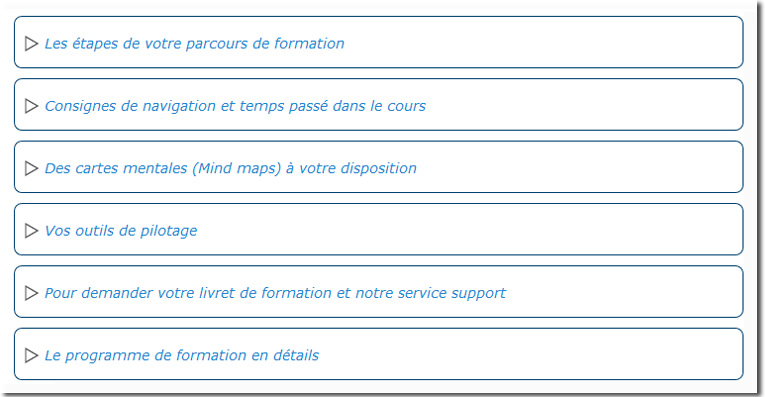
Rendering example on a course in accordion mode
Form configuration
General
- Select “Collapsible text” in the label type.
- The element name is displayed by default. (Each course element has its own name).
- Choose between toggle behaviour (algorithm) or accordion behaviour.
- Toggle: when a drawer opens the others close, with + and - to act on all the drawers
- Accordion: clicking a drawer in the list opens it while closing the one that was open
- In both cases display choice: Open, first open, closed
- Enter the text you want to see appear on the course in the title area.
- Enter the text you want to see appear on the course in the content area.
Restrict availability
- The chosen course element resource can be accessible depending on a precise date, a grade obtained (in another activity, for example), a user profile, a group of a grouping or a set of nested restrictions.
Activity completion
- To be enabled if you want to make sure that students have taken note of the proposed text(s).
Back to the user guide & pedagogical guide - Back to the Course Elements module index - Back to the plugins index - Back to the catalogue