Table des matières

Onboarding (Local registration management): User guide
Process
A wizard for recording and processing registration requests with a complete process:
- Pre-registration on the operator platform via the wizard, collection of information
- TRIGGERS Sending of an email asking the training requester to confirm their email address
- If the requester follows the link in their email that confirms their email
- TRIGGERS OK MESSAGE on operator platform
- TRIGGERS sending of an email to the training requester stating the code and details of their training
- ALSO TRIGGERS an email to the requester's validation authority with the registration form PDF attached, with a copy identical to the operator
- Backoffice
- 6. Operator platform: validation button for the requester's validation authority when the form is signed
- 7. Email sent to requester: warning, the registration is not yet validated
- 8. Operator platform: operator validation button
- 9. Email sent to requester with id and password for final registration
- 10. Operator platform: requester validation button
Presentation
- Entry point: Site admin/plugins/local plugins/local registrations
- Step-by-step training request interface and collection of the training requester's data.
- Data processing backoffice
- Institutional validation PDF
- View of the generated emails
Step-by-step interface: collecting the training requester's data
- First step: Based on the course session element, first step: choice of the training session and check whether the requester already has a Moodle account
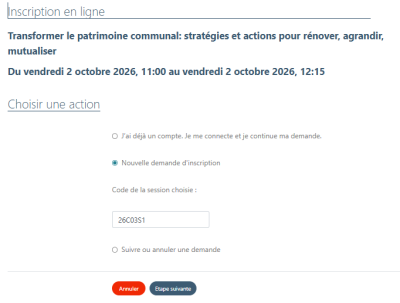
- Next step: Identification of the funding mode by the requester, either by their organisation or by their own means

- Next step: Identification of the requester's reference organisation, otherwise routing to an information form about their organisation and recording of the latter in the backoffice organisations with the “unreferenced” status.
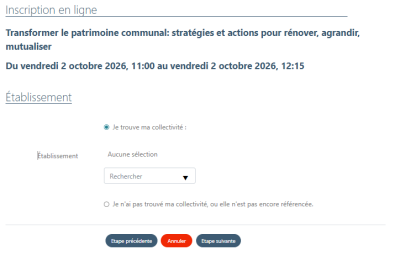
- Next step: Information about the requester, partly pre-filled if the request is made while logged in because the user is already known.
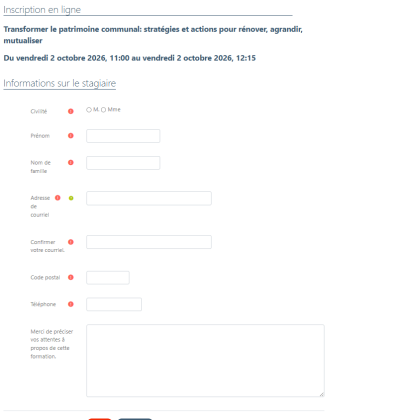
- Next step: Professional status of the requester
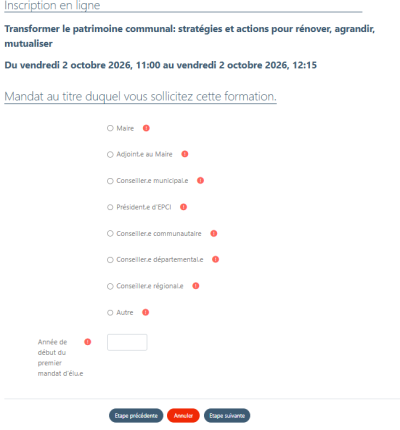
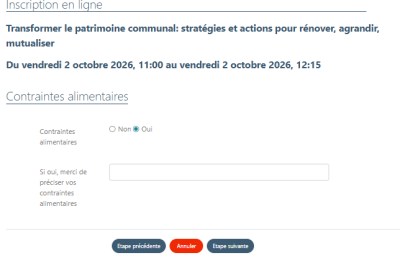
- Next step: Dietary constraints, if yes fills a field of the registration request PDF to specify
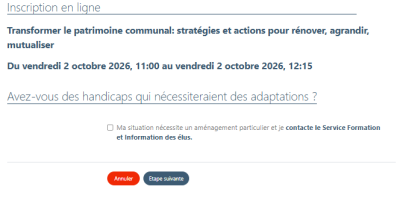
- Next step: Disability, if checked fills a field of the registration request PDF to specify, and if followed by the mailto link to the email address designated in the local plugin settings.
- Next step: Acceptance of mailing lists. Fills the registration request PDF.

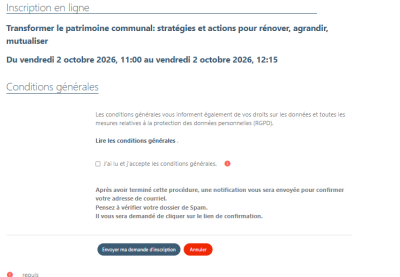
- Last step: Acceptance of the T&Cs and validation of the registration request form. The request is sent by email to the training requester, to the requester's organisation, and on the Moodle side where the onboarding plugin is installed to the person designated with the “Local registrations manager” role at system level.
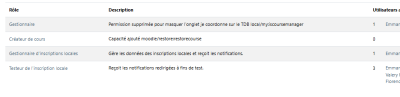
Roles created with the plugin installation and to be assigned
- Access: Site admin/users/permissions/Assign system roles
- Local registration manager(s): Manages the local registration data and receives the notifications: This is the person who receives the training requests.
- Local registration tester(s): Receives the redirected notifications for test purposes, during the onboarding integration period
Data processing backoffice
- Access: site admin/plugins/local plugins/Local registration
At the top of the form, two links
- Access the registration back office
- Test PDF generation
Registration backoffice: here are the different processing screen choices on arrival at the interface
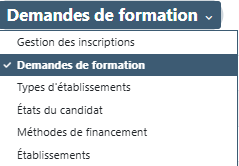
These choices will be offered in the onboarding wizard:
- Institution type: To collect the requester's reference institution type: Town hall, Municipality, Apprenticeship centre, department, in short the institutions of their choice. Add, Delete, Modify possible
- Candidate status: To collect the typology of candidates: Mayor, municipality president, Apprentice, Employee, in short the types of their choice.
- Funding method: To collect the candidate's funding method: Personal funding, Training centre, Funding by the requester's reference institution, etc. Add, Delete, Modify possible.
- Institution: To collect an institution the requester belongs to that is not already in the list of choices offered at onboarding time, and to show which ones are already under agreement with the operator or not.
Example
Credits
- Florence Labord (florence@activeprolearn.com) / Functional design
- Valéry Frémaux (valery@activeprolearn.com) / Technical design
Back to the solution summary - Back to plugins index -Back to catalogue