Table des matières

Block: Revision Tray: User Guide & Pedagogical Guide
Organisation of the revision tests
The tests must be set up in a course page that is NOT ACCESSIBLE TO STUDENTS.
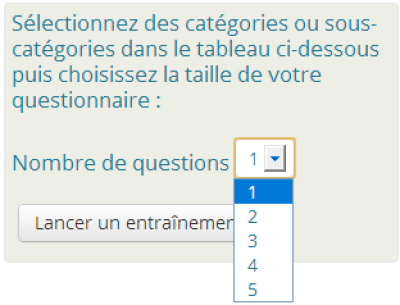
In order to offer students a choice of the number of questions to revise in a drop-down list, whatever the category and subcategories they choose, here is how to organise your tests:
Create tests with “random with constraint” draws, drawing from the root category concerned without worrying about the question subcategories it contains or the test's overall grade. In plain terms, each test must offer the number of questions you want to make available in the drop-down list for students.
As a reminder on draw categories
Moodle's “classic” random questions:
The draw categories are defined in the random question instance. It is the question that is “programmed” to draw randomly in a given sub-tree of questions
“Random with constraint” questions:
The constraint is expressed when the quiz is run by the learner. It is the learner who determines the field of categories that can be explored. In the tray, it is the tray itself that asks the candidate to choose their revision root, and will apply this root to all the constraint questions that are in the quiz matching the right draw volume. Selecting the draw category “a priori” (at the question definition level) makes no sense. It is simply kept because this question type inherits from classic random questions.
 Illustration: Adding a random question with constraint in a test
Example of what is possible:
Create a test with 5 questions, then a test with 6 questions, then a test with 7 questions, and so on up to 10 questions. You then have 6 tests created at this stage, with a step of 1. Next create a test with 20 questions, one with 30 questions, etc. up to the limit of your choice. You now have x additional tests with a step of 10.
Rendering on the revision tray:
Following the example provided, if the number of questions existing in the bank for a category is less than 10, the revision choice offered will be in steps of 1, otherwise it will be offered in steps of 10 questions up to the maximum number of questions the selection can supply.
Note: You can place up to 100 questions per test.
Test settings
- Additional restrictions on attempts: Enter the root of the question bank
- Force closing of attempts: Only on the test designated as the exam
Questions in the question bank
Only random questions with constraint. Membership of one or the other of the two pass thresholds is set in the question bank, in each question's grade. Everything else can be ignored.
So remember to set for each question:
- the question grades to 1 for threshold 1 (A by default)
- the question grades to 1000 for threshold 2 (C by default)
Credits
- Valéry Frémaux (valery@activeprolearn.com) : Development and tests
- Florence Labord (florence@activeprolearn.com) : Documentation and illustrations
Back to the user guide - Back to the component summary - Back to the catalog - Back to the plugin index