Table des matières

Block Livedesk (Educational Support Center): User guide
Rendering in Moodle
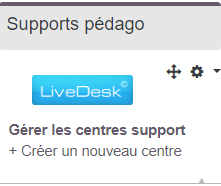
- Here, access to the block with an educational support center dedicated to a SPOC containing many forums. The block is only visible to entitled users. It gives access to the management of the messages of all designated forums, and offers a shortcut to create other support centers. (See the general rendering on the home page of the component index).
Introduction
The first step is to create one or more support centers.
Each support center can handle the messages coming from 1 to n forums, whatever the courses they are in.

- Path: Site admin/plugins/blocks/educational support center/ follow the link 'manage support centers'
- Then click “Create a support center”.
If you prefer, you can place a “Support Center” block in a dedicated course, rather than going through the central administration.
Support center settings
- Title: title of your choice for the support center
- Description: Optional description
- Click the checkbox next to all the forums that will be attached to this support center.
- Request release time (minutes): 5 min by default. Duration beyond which the message is put back in the stack if the operator has not handled it, to avoid blocking.
- Operator keeping time (minutes): 10 min by default - Duration of reservation of the message by the operator who took it, to avoid handling collisions.
- Obsolescence date: Date beyond which the message no longer needs to be handled: in number of days.
- Max stack size (in entries): Maximum number of messages to display in the interface.
The livedesk indeed “catches up” with the past when you connect a forum that was already in use before this implementation. For this catch-up to be transparent, you can follow this procedure:
- First disable the notifications of the livedesk instance
- Then attach the sources
- Wait for the crons to run to absorb the past
- Put the notifications back in place.
Or else:
- Recreate a new, clean forum instance that will be the one linked to the livedesk, then archive the old one.
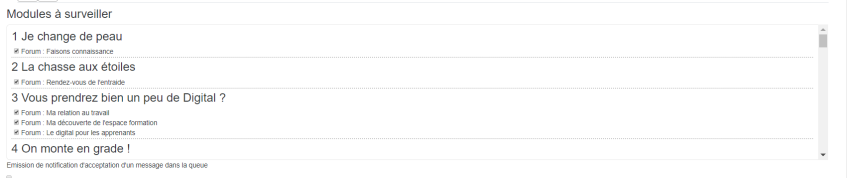
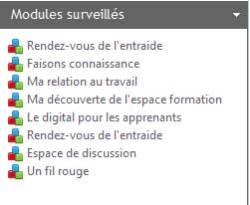
- Modules to monitor: Check the list of all the forums to monitor coming from all the courses “captured” in the livedesk interface and listed. In the example below, 7 forums from 4 different courses that make up a coherent learning path.
Support center interface
Horizontal menus

From left to right:
- Refresh the list: Update the list of messages
- Configuration: Change the livedesk configuration
- Statistics: Display the forum message processing statistics
- Manage support centers: Create/modify/add/delete a support center
- Show/hide processed messages
- Show/hide ignored messages
- Show/hide locked messages
Statistics
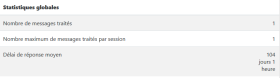
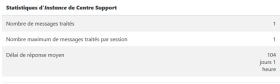
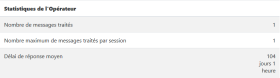
Global statistics, Support Center Instance statistics, Operator statistics. For each of the above elements, we will have:
- Number of processed messages
- Maximum number of messages processed per session
- Average response time
 |  |  |
|---|
Central area
- List of messages from all the monitored forum modules. Click a message to handle it by replying, as you would by going to the relevant forum in the relevant course, and save your reply. The message is then tagged as “processed” in the interface. –> You can also right click the message icon to get the context menu.
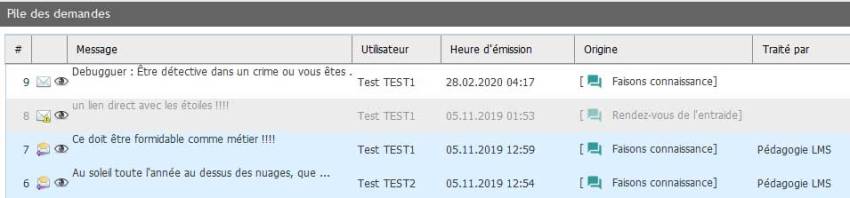
In the illustration above, from top to bottom:
- An unprocessed message
- An ignored message (opened but no reply given)
- Two already processed messages, with the name of the operator who handled them.
Side menus
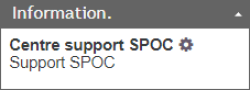
- Information: List of the support centers created. Only one in this example, which monitors the forums of 5 courses making up a SPOC path. (A reduced-size MOOC with a targeted population). The cog lets entitled users change the settings of this specific support center.
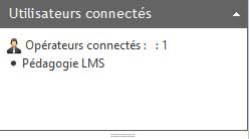
- Connected users: List of the livedesk operators connected to the system at the same time as you
- Monitored modules: List of the monitored forums.
 |  |  |
|---|
Component index - Back to the plugins index - Back to the catalogue