Course Notification block: User guide for questionnaires
Case of questionnaires sent by mail
General principles
- A Moodle questionnaire is created
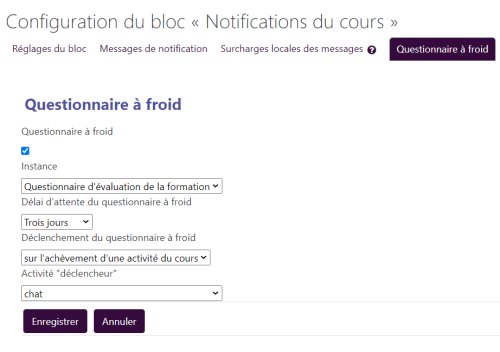
- It will be automatically sent by mail to the course students upon completion of a condition thanks to the course notification block correctly set up through its “Cold questionnaire” tab.
The student replies to the questionnaire by mail and the response data is retrieved and displayed in aggregated form in a Moodle course interface dedicated to examining the responses.
The questionnaire
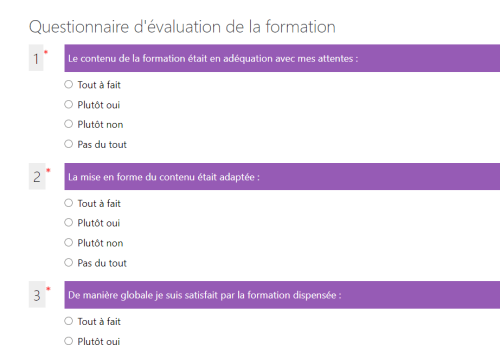
It must present questions with the same answer choices. This is so that the responses coming back by mail into Moodle can be capitalised on consistently. the concrete use case is typically a training evaluation questionnaire.
Example of typical questions with yes/no answers:
- The training content matched my expectations
- The formatting of the content was suitable:
- The training delivered will be useful in my activity?
- Overall I am satisfied with the training delivered
Send a test questionnaire link
This link triggers a test of the cold questionnaire indicated in the block configuration, within 5 minutes without waiting for the CRON to run. Example:
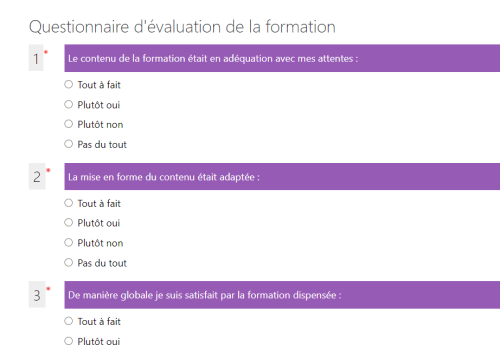
- following the link will display a confirmation message.
- Click the “Continue” button to trigger the sending.
- Click the cross to clear the message

Possible effect on performance
Use of this block can hardly be generalised structurally across all courses and for all users. The pre-scheduled ad hoc task table could grow too significantly and pose a computation time problem for Moodle's cron process (examining several thousand tasks at each run). This architecture is therefore better suited to moderate and occasional use of notifications for a particular training programme.
===In progress === : : to be completed/modified
The backoffice interface for scheduling events must allow the author to switch to any course context in which they have edit rights (capability tied to the ability to notify) and thereby change the current navigation context. The return to the course (button at the bottom of the interface) will take this current context into account to return to the corresponding course.
The block must allow building a message bank shared in the site, and easily reusable in new courses, by copy, so as to keep the possibility of local customisation.
Inspection tools (list of pending future tasks) could usefully ease the fine-tuning work of the configuration by the course designer.
Sending the mail
Two trigger conditions for sending the questionnaire by mail to learners enrolled in the course:
- Standard course completion
- Completion of an activity to select in the block configuration
the waiting period before sending the questionnaire must be chosen in the block config: 1d, 3d, one week, one month.