Table des matières

NetYparéo authentication: User guide: Multi-instance
Introduction
These operations are not necessary in the case of a single NetYparéo™ instance.
Path
- Go to the manual sync launch menu; Path: Site administration / feeding and automation / NetYParéo™ manual synchronisation.

In 3 steps
1/ Choose the "manage NetYpareo instances" menu on the right of your form.
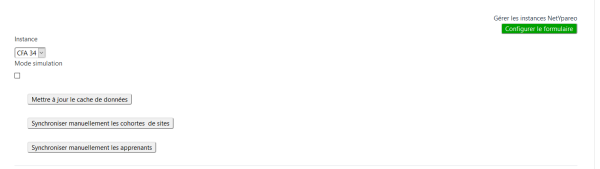
2/ Click the "New instance" button

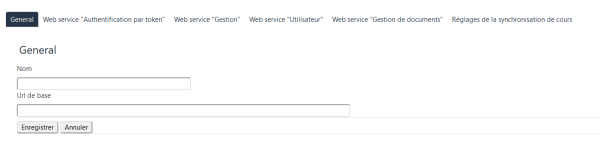
3/ Fill in the settings for the NetYpareo instance concerned, as for a single instance.
Distinguishing users on the Moodle side
- the Moodle identification number of your users will be prefixed - Example: 0_1851110; This number must of course be displayed in the user profiles through your Moodle settings (optional profile fields).
- 0_: prefix of the first NetYParéo™ instance.
- 1_: prefix of the second NetYParéo™ instance
Credits
- Valéry Frémaux (valery@activeprolearn.com) Development
- Florence Labord (florence@activeprolearn.com) Documentation
Back to the component index - Back to plugins index - Back to catalogue