
Table des matières

Tool Sync: Post-processing
Introduction
Post-processing consists of actions that are executed once the synchronisation command is complete.
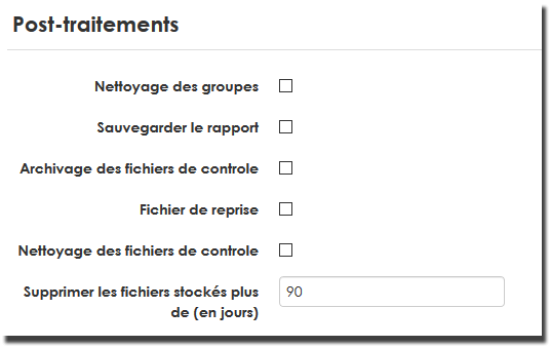
Details
Group cleanup
This processing concerns all commands that act on enrolments. If enabled, groups of the processed courses that no longer have enrolled users will be deleted.
Save reports
If this option is enabled, reports (similar to those produced on screen by an interactive execution) will be archived in a reports archive folder of the command file manager.
Command file archiving
If you enable this option, every processed command file will be archived in the archives directory of the command file manager. The archive name is the name of the reprocessed file, timestamped. You can thus recover old command files executed in the past.
Resume file
The resume file is a file with a structure similar to the command file in which all the lines that failed processing are rewritten. This lets you:
- Identify the problems
- Fix the source of the problems
- Execute the corrected lines again to complete the processing.
Control file cleanup
If this option is enabled, command files executed from the positions scheduled in the settings interface are deleted after processing. This may or may not be combined with archiving of the control files.
Back to the user guide index - Back to the component index - Back to the catalogue