
Table des matières

The Bill class : Concept of order and bill statuses
Moodle Integrated Shop : Structural elements
Introduction
The bill is an object that groups all the constituent parts of :
- A purchase order, as long as payment has not taken place.
- A pro forma bill, as long as no cross-reference coding has taken place.
- A bill, once cross-reference coding has taken place.
Orders and bills in life cycle
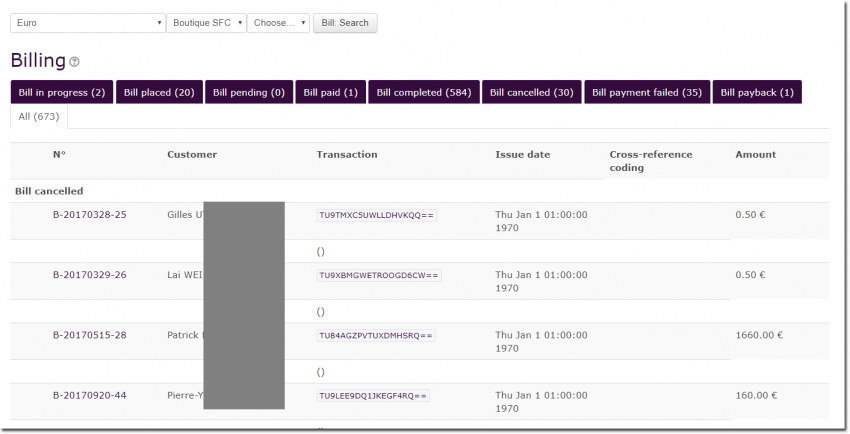
Orders and bills have a life cycle that is determined by a status and a transition engine.
Possible statuses include:
IN PROGRESS:
When a back-office operator manually creates an order, it takes the In progress status.
PLACED:
Orders transmitted by online customers are placed for payment but not confirmed.
PENDIND :
Orders have been confirmed by the customer but payment used is offline or is delayed for an asynchronous response. Offline payments must be handled manually by a back-office operator.
PAID :
Bill has been paid in full because an online immediate method of payment was used or because it was marked as such by a back-office operator after physical payment was received.
COMPLETED :
Order has been paid and completed (by any method, whether automatically by enabling handlers or manually shipped and sent to customer in case of physical goods.
CANCELLED :
Back-office operators can cancel orders that have not yet been officially entered into accounting.
FAILED :
These bills mark a failed online payment process. There are many different reasons for a negative response from the payment interface, such as a customer typing in the wrong bank code, a bank server momentarily too busy to respond, the bank declines payment, etc.
PAYBACK :
Orders abusively billed or orders for which a customer can return their purchase, might be marked as payback orders to the benefit of the customer.
ALL:
List of all bills, regardless of their status.
Back to the Moodle Shop structure documentation summary - Go to Configuration and implementation of a commercial offer - Back to Local Shop componant - Back to catalogue