Table des matières

Tool Sync: Local file manager
Introduction
This is the area where you drag the synchronisation files to be processed by the tool. Then in each of the tools you will indicate the name of the file concerned by the processing.
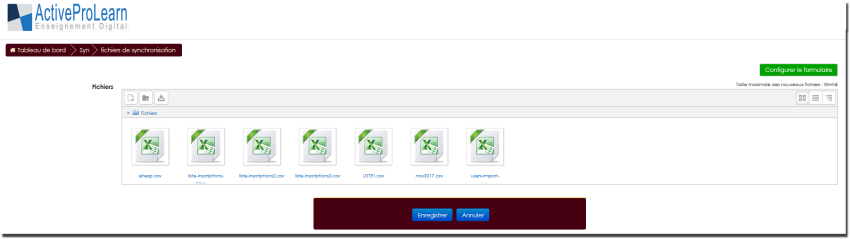
Access
Site admin/Feeding and automation/Course and user synchronisation by CSV files
Versions prior to 2.7
In versions prior to 2.7, files are implicitly managed in a 'sync' subdirectory in Moodledata.
File references in the tool configuration must mention this path: sync/users.csv
In later versions, file management is done directly in the Moodle file system. The sync subdirectory must no longer appear in the file call path.
Version >= 2.7
The local file manager of the CSV synchronisation tool manages a permanent repository of command files that can be used for synchronisations or mass operations on Moodle. You can organise directories and subdirectories there, except for two “standard” directories automatically managed by the tool:
- The “archives” directory: Contains the command files that were archived following processing.
- The “reports” directory: Contains the execution reports of the processed files.
The different tools have a setting designed to point, in this directory, to “the” file to execute each time the cron task of this tool runs. It is thus possible to manage automation by updating the named file before the task runs.
External feeding of files by upload
Files can be brought from the “outside” into this directory. This case is provided for, for example, when an external ERP generates the command files and wants them executed from outside. Implementation is as follows:
- Organise SFTP access of your ERP to the Moodle server
- Organise write permission of this SFTP agent on the
<moodledata>/syncdirectory - Have the command files dropped into this directory.
The scheduled tasks of the synchronisation tool will systematically bring back the files found there into the local file area of the synchronisation tool. (note that hidden files or files starting with '_' are ignored).
The files you generate in the Course control interface will appear in the local manager.
Back to the user guide index - Back to the component index - Back to the catalogue